Self-service Automated QA Pipeline Setup
Document History
- 04/25/2024 - Changed section 3 from "Terraform code to create Selenium Grid Server" to "Configure connection to Selenium Grid Server"
Details
This change was made to align better with the strategy of having a centrally hosted Selenium Grid Server hosted consistently on the "Ops" cluster as part of the reasoning outlined in Migrate existing QA repo to Ops cluster Selenium grid
Based on the need to enable existing repositories used by the QA team to run functional testing suites using Selenium, this page highlights the details and requirements needed to onboard and integrate existing repositories to run the tests suite execution in Gitlab as standalone pipelines or as part of a downstream pipeline in a more robust workflow.
Part 1. Onboard existing QA repository to run as standalone pipeline in Gitlab.
Prerequisites:
- Existing repository with Selenium codebase using Java.
- The repository must support passing environment variables to the maven execution and should have configured code to target different environments.
- Connection to the AWS dev account ops cluster
- Dockerfile for the image creation.
- Gitlab pipeline yaml file.
- Configure CICD variables on QA Repository.
Example use case: NCIA QA link .
1. Java Based Repository
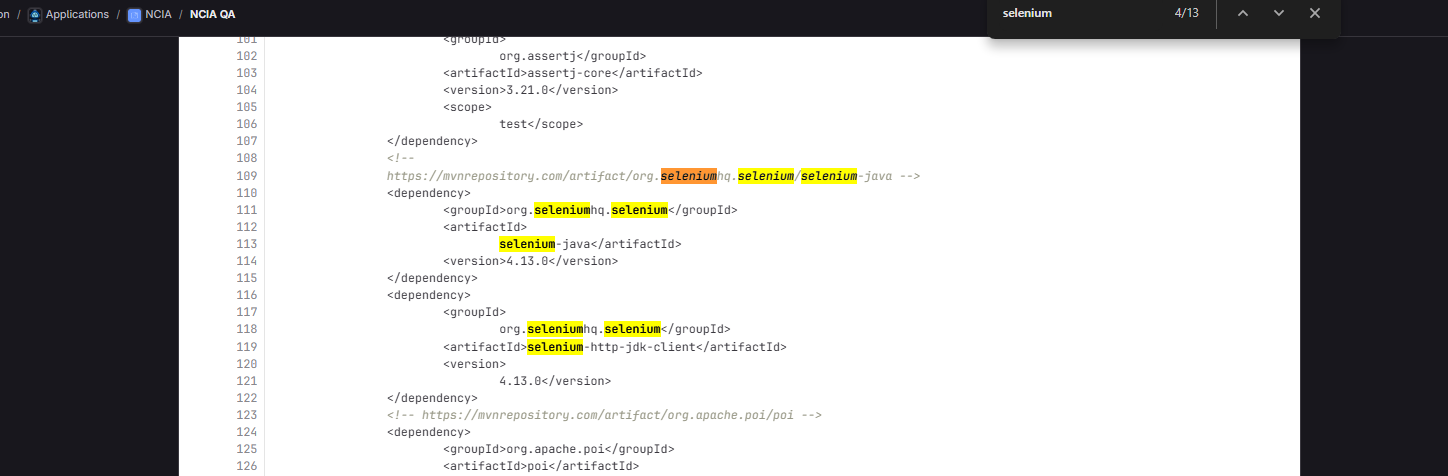
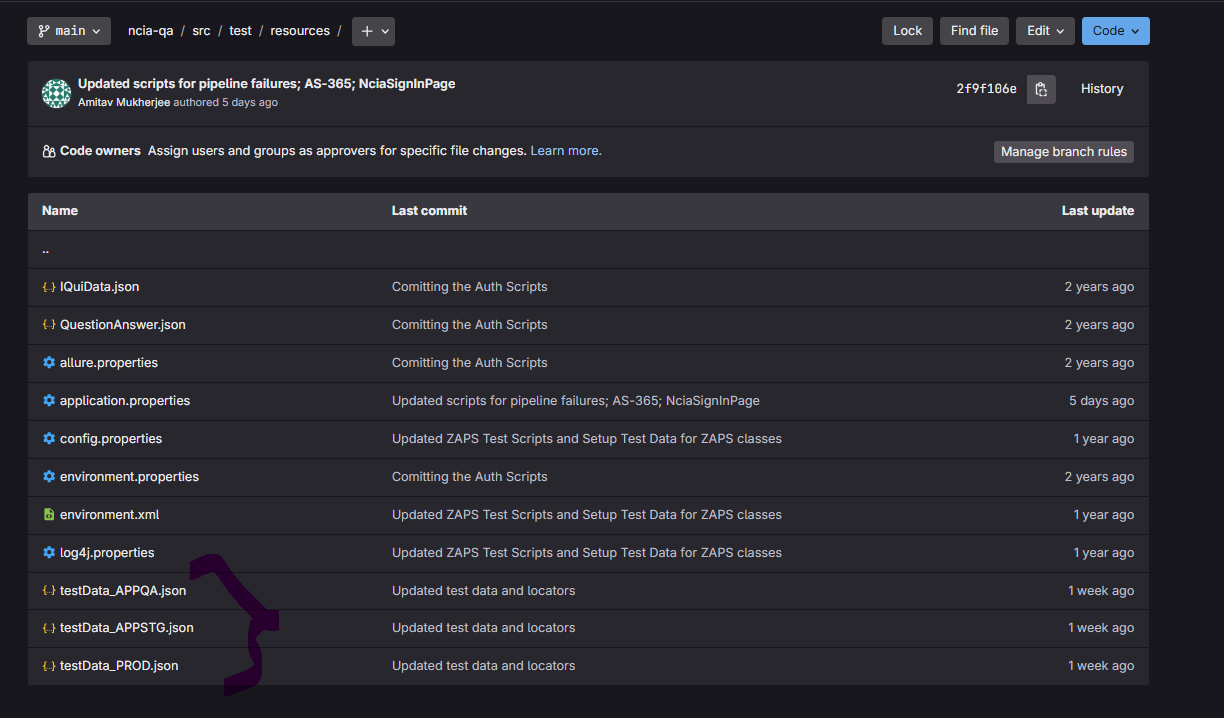
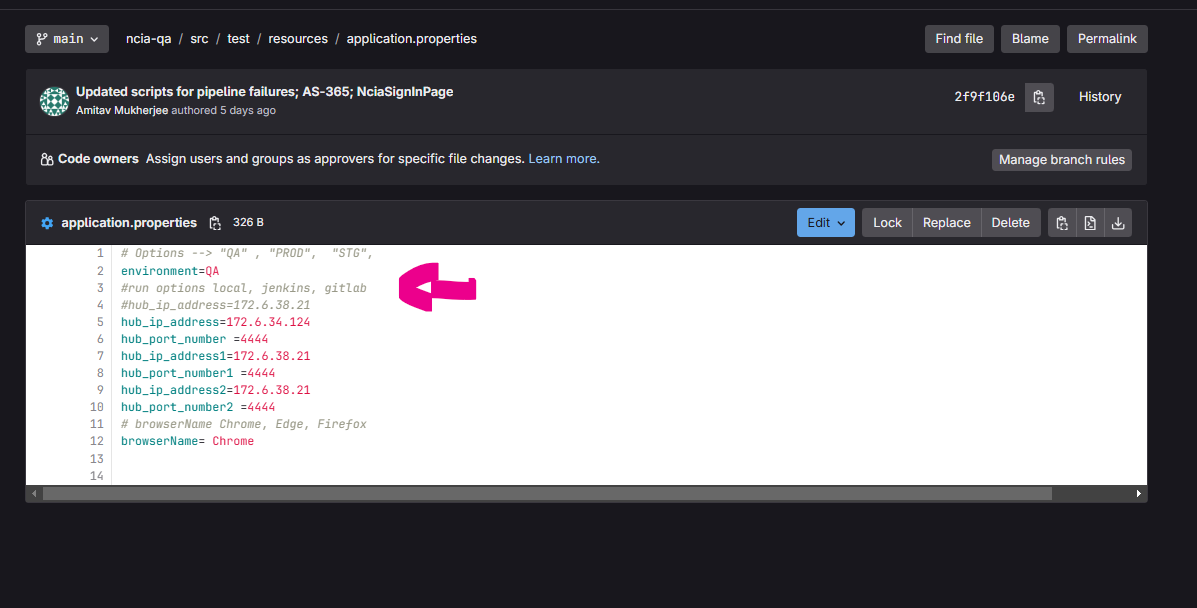
2. Support to passing variables, different target environments and run in a Gitlab pipeline.
Env variables passing support:
Different target environments support:
Running from Gitlab support.
3. Configure connection to Selenium Grid Server
Note: The below guidance should be used when creating new automated testing repos. To convert an existing QA repo, follow the guidance in the document focused on migration
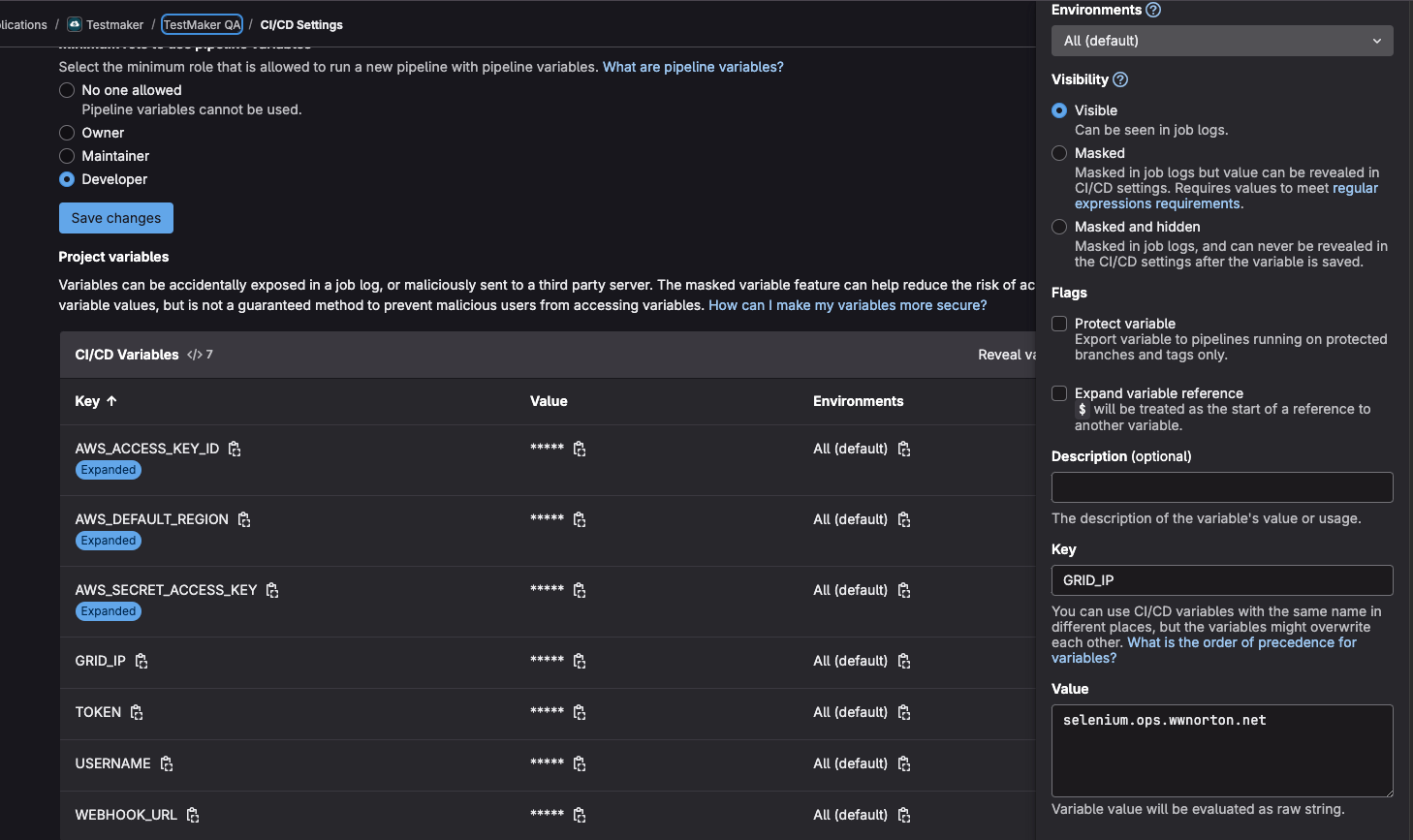
- Go to a QA repo where this GRID_IP CI/CD variable already exists - in this case TestmakerQA repo should have it
- Follow instructions to access the project's CI/CD variables by following this GitLab CI/CD variables documentation
- Add the GRID_IP variable to the CI/CD settings of your desired repo
- Change
hubURLin src/main/java/com/wwnorton/TestMaker/utilities/ReadApplicationProperties.java tohubURL = "https://" + hubIpAddress + "/wd/hub";
4. Add the Dockerfile definition to create the test image.
https://gitlab.com/wwnorton/app/ncia/ncia-qa/-/blob/main/Dockerfile?ref_type=heads
5. Create the gitlab pipeline (Use the following version).
6. CI/CD variables setup for repository
Set the following variables in the Gitlab repository:
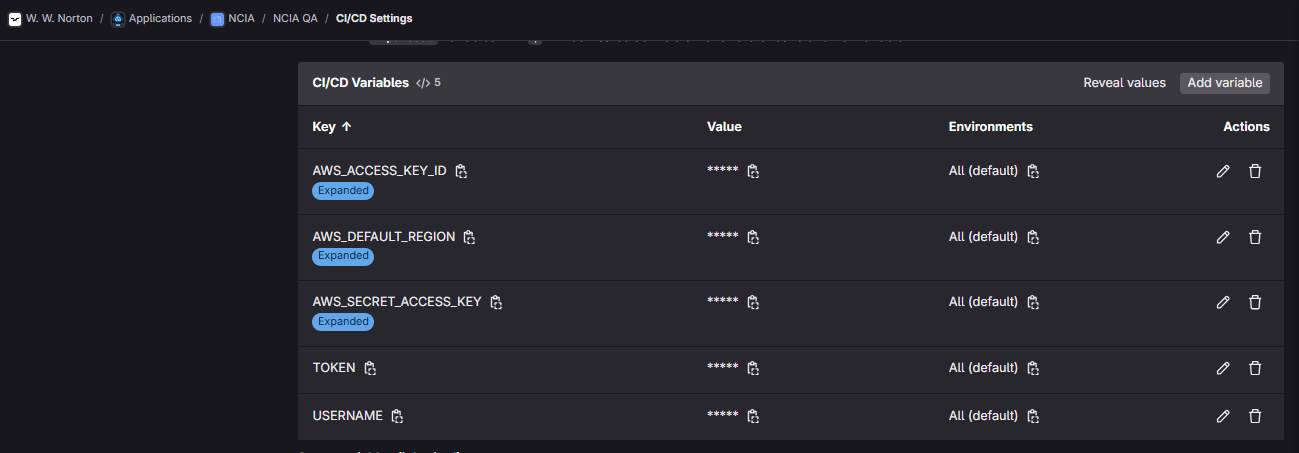
Get the values for those variables on AWS Secrets Manager on the Development account:

Test the workflow execution by manually running the pipeline passing the variables required (this depends on the required variables per repository).

Part 2. Integrating the existing automation CICD pipeline to another Upstream Deployment pipeline.
To integrate the existing and previously configured pipeline to a deployment CD pipeline follow the next steps:
- On the upstream pipeline (the deployment cd .gitlab.yaml file) add the following job that will execute automatically after a MR is completed as part of the promotion to the target environment in the upstream pipeline.
automation-tests-qa:
  stage: promote
    variables :
    Environment: QA
  trigger:
     project: wwnorton/app/ncia/ncia-qa
     branch: main
     strategy: depend
  rules:
    - if: $CI_COMMIT_BRANCH == "main" && $CI_PIPELINE_SOURCE == "push"
      changes:
        paths:
          - flux/qa/**/*
      when: delayed
      start_in: 1 minute
This will automatically trigger when the MR is merged and the values.yaml file is modified on the upstream pipeline.
Rinse and repeat for a different environment, make sure you pass the environment variables accordingly and the path to the values.yaml file is correct for the target environment you are trying to test.